Everything My Souvenirs does
A full journal for free, and a deeper set of AI and insight tools when you're ready for more.
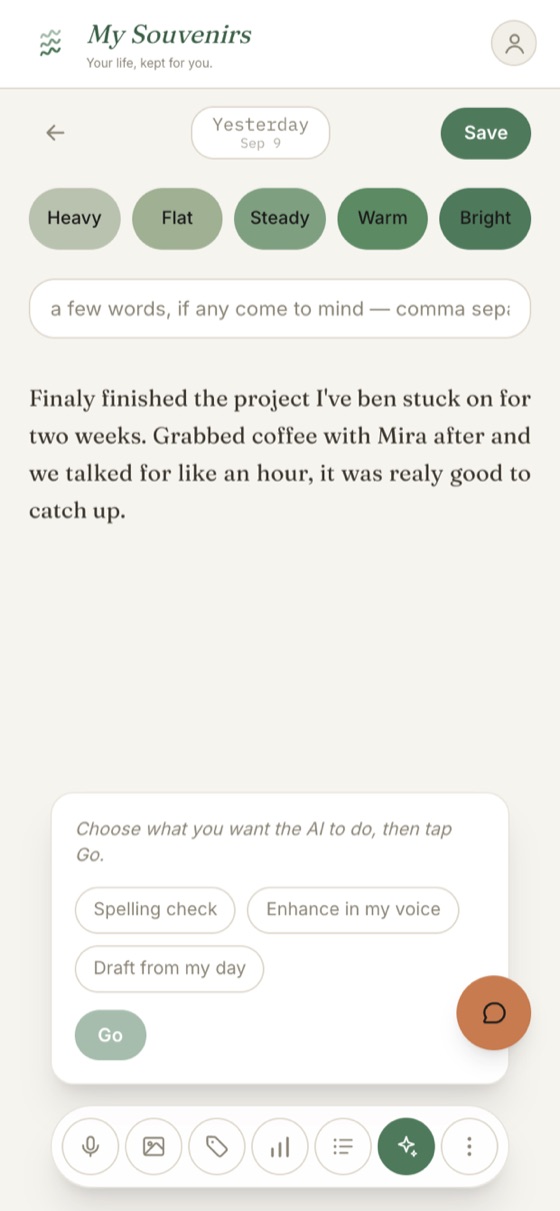
Write your day, your way
Type it, dictate it, or just tap how you're feeling. Then, if you want, AI helps: a quick spell-check, a nudge to get started, or the whole entry drafted in your own writing voice.
- Mood in a tap, plus tags and photos
- Voice dictation: hold the mic, speak, done (Premium)
- AI drafting learned from what you've already written, unlimited on Premium (free for your first 7 days)
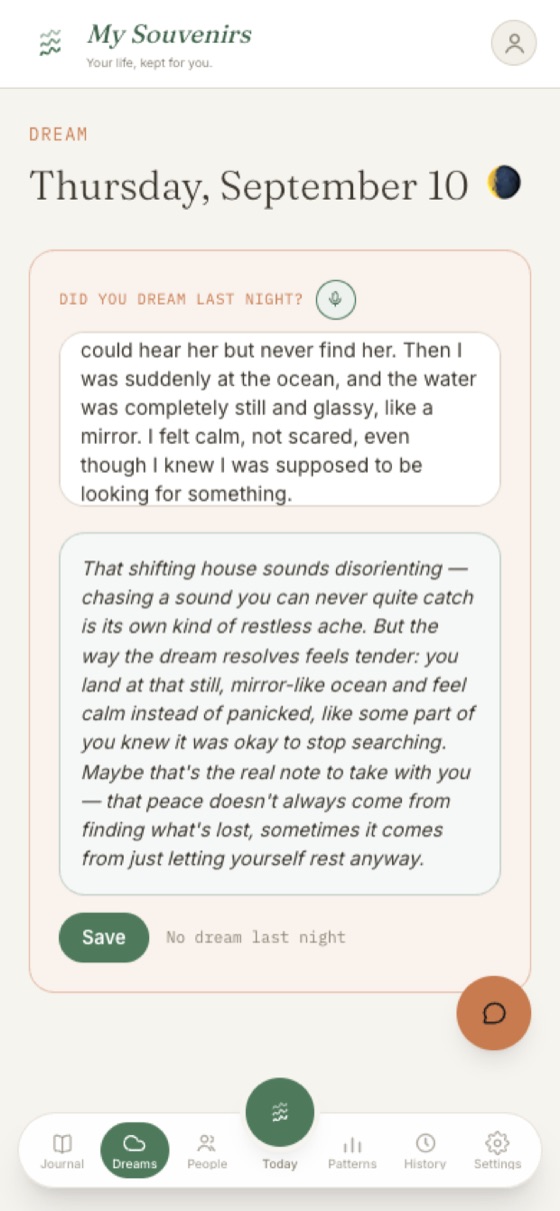
Dreams, always followed by the moonlight 🌕
A gentle morning check-in for the dream you half-remember. If you're curious, ask for a reflective read on what it might mean: thoughtful, never clinical.
- One tap from the home screen each morning
- An optional reflective interpretation (Premium)
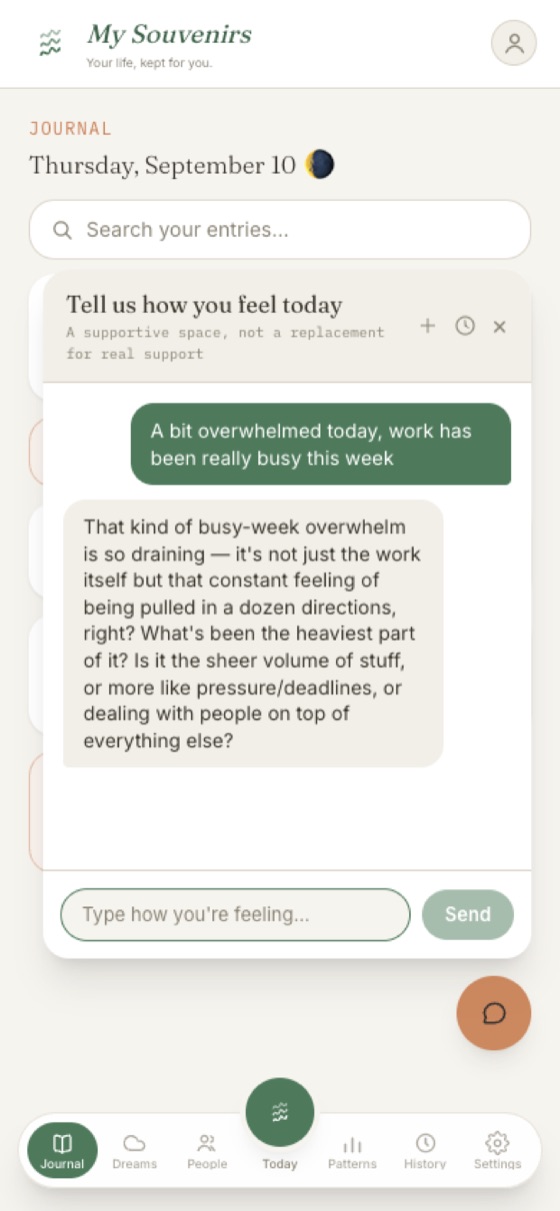
A place to talk it through
Some days you feel like talking and being listened to. Tell the chat how you're feeling. This is a supportive space, not a replacement for real support.
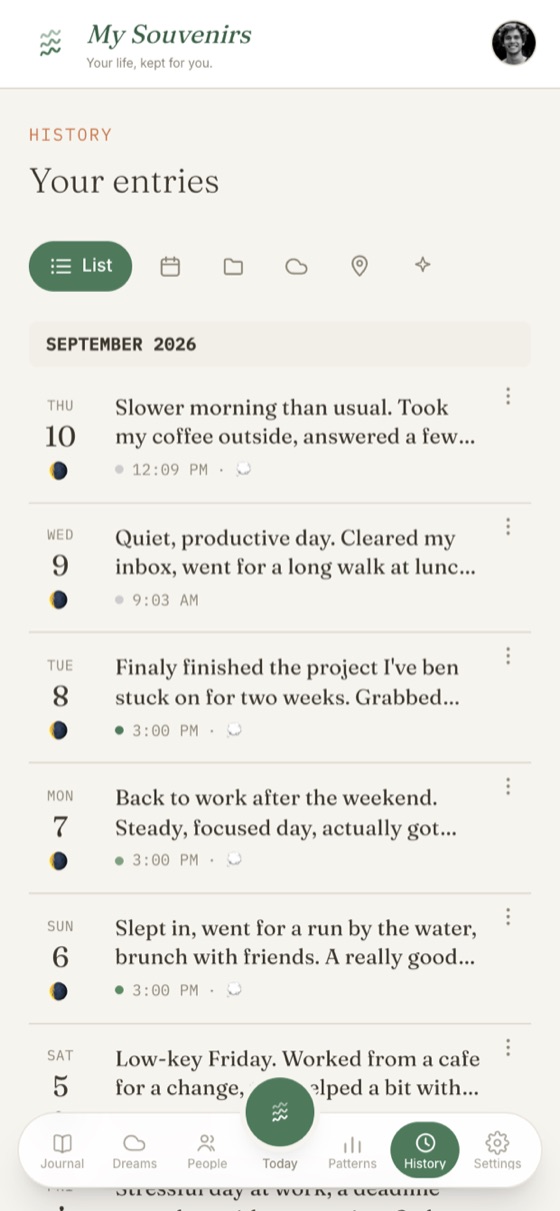
Your whole journal, any way you want to look at it
Every entry kept and searchable, in whichever view suits you.
- List, calendar, folders, dreams, and places views
- Search across everything you've written
- Export any entry, or your whole journal, as PDF or Word
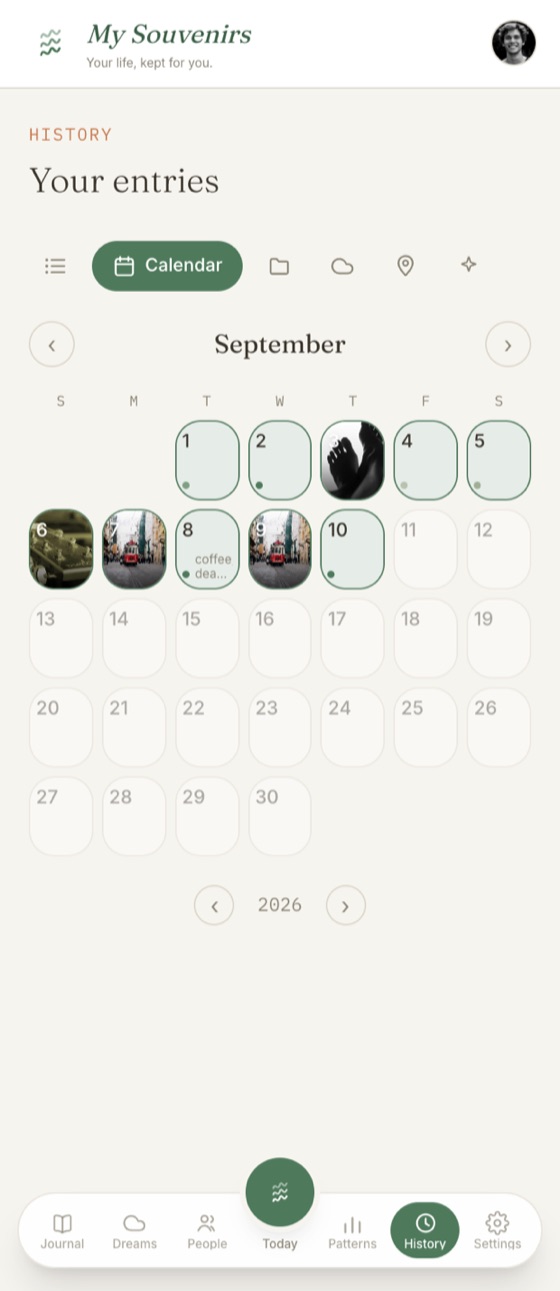
See your month at a glance
Photo days, mood dots, and the moon phase, with your month laid out so the shape of it jumps out.
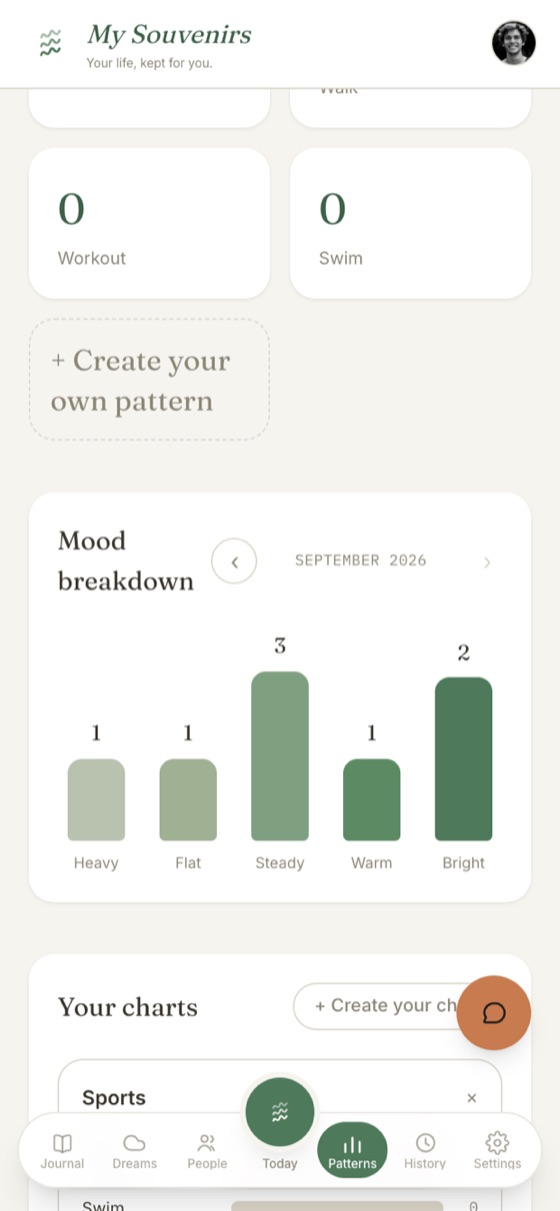
Patterns you'd never spot yourself
My Souvenirs quietly notices the moods, people, and things that show up again and again, so you understand your days, not just record them.
- Track up to 3 recurring patterns free, unlimited on Premium
- A mood breakdown for any month
- Keywords and dreams counted automatically
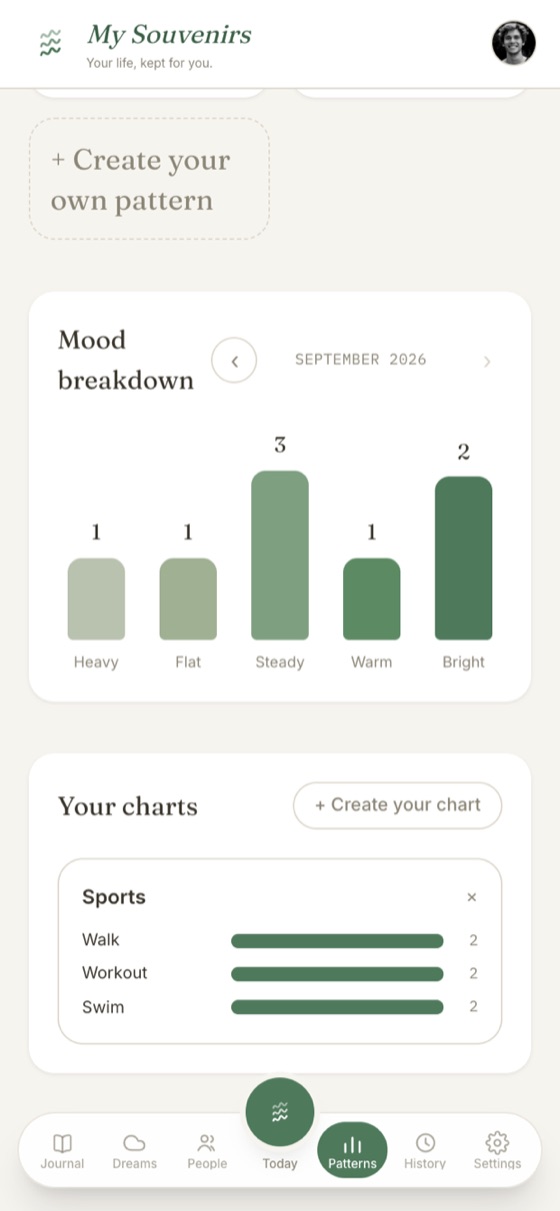
Make your own charts
Pick any of your patterns and compare them over time: sleep against mood, exercise against energy, whatever you're curious about.
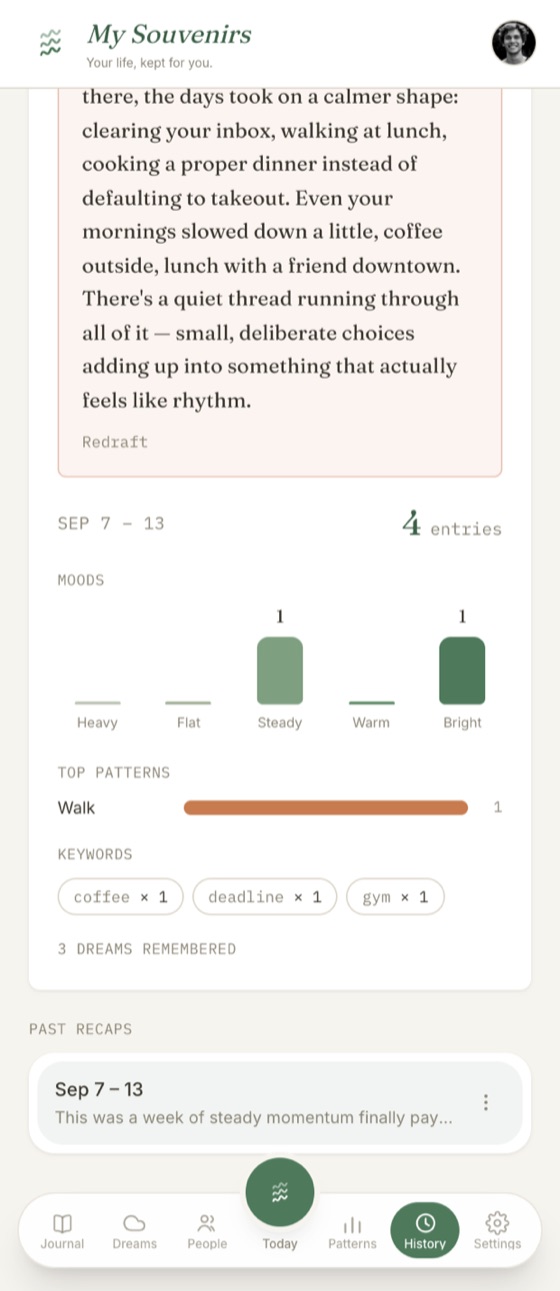
Your week, written back to you
The recap feature, my favorite, is a short reflection that ties your entries together: the shape of the week, month or year, not just a list of days.
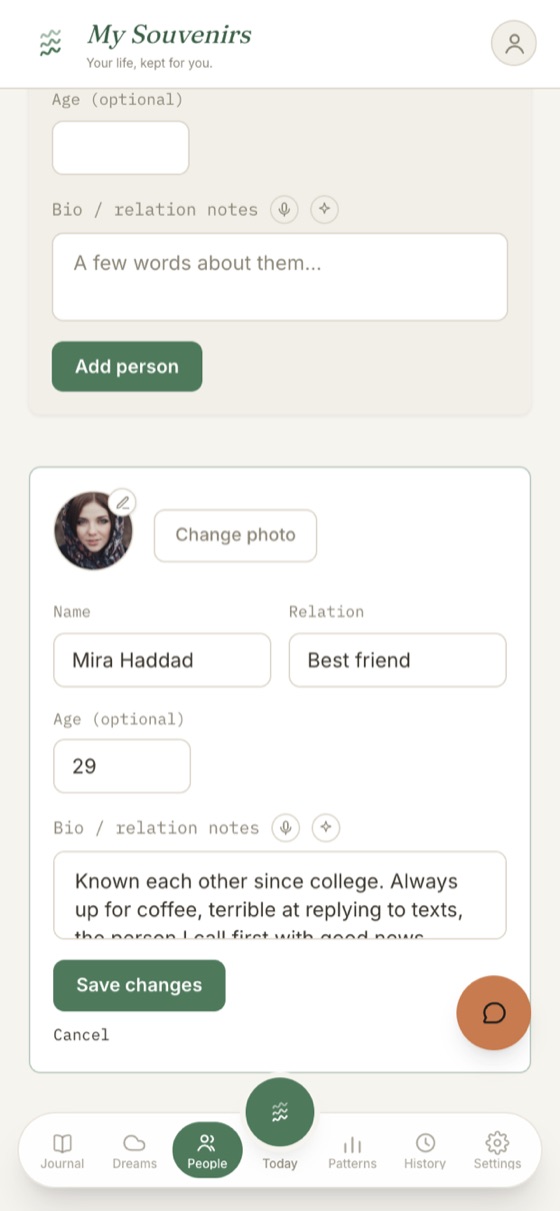
The people in your life
Add the people who matter, tag them in your entries, and keep track of who you see the most. My Souvenirs never recognises faces automatically: that stays off until it can run entirely on your device.
- Profiles with a photo, relationship, and notes
- Up to 5 close ones free, unlimited on Premium
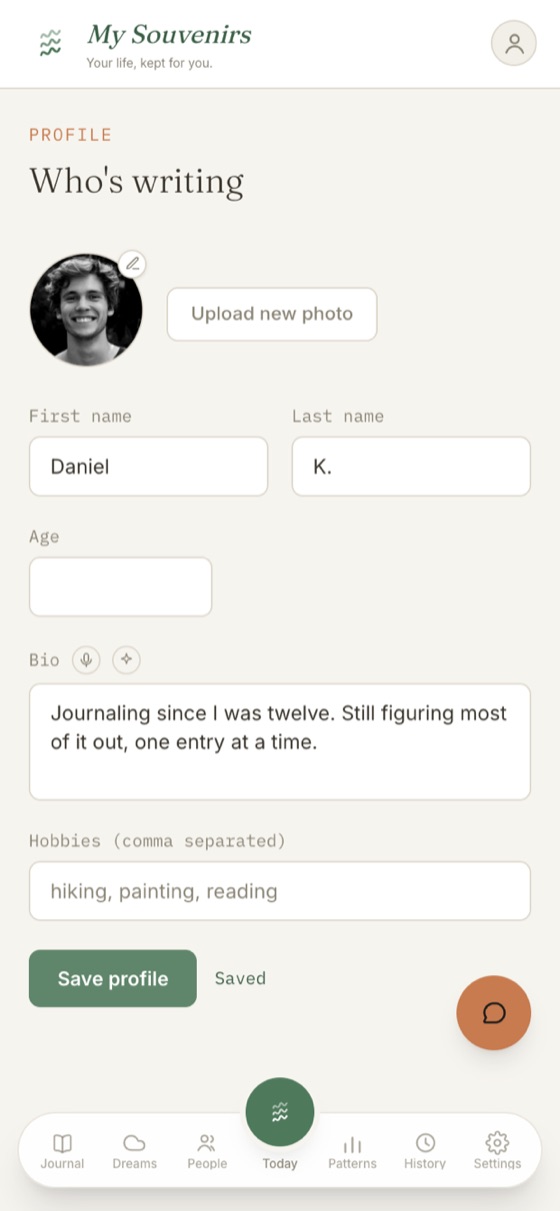
So the AI sounds like you from day one
A short about-me, just your name, age, and a few words about yourself, gives AI-drafted entries a head start on your voice before you've written much.
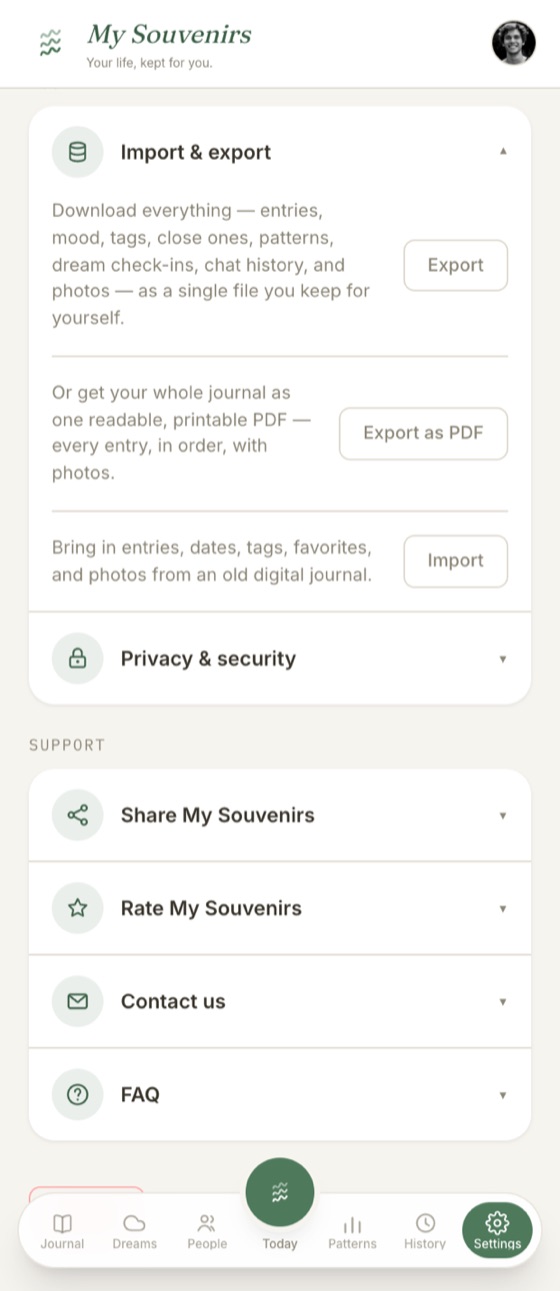
Bring your old journal with you
Coming from any other app? Import your entries, dates, tags, and photos. And your data is always yours to take back out: a full export file, or one readable, printable PDF.
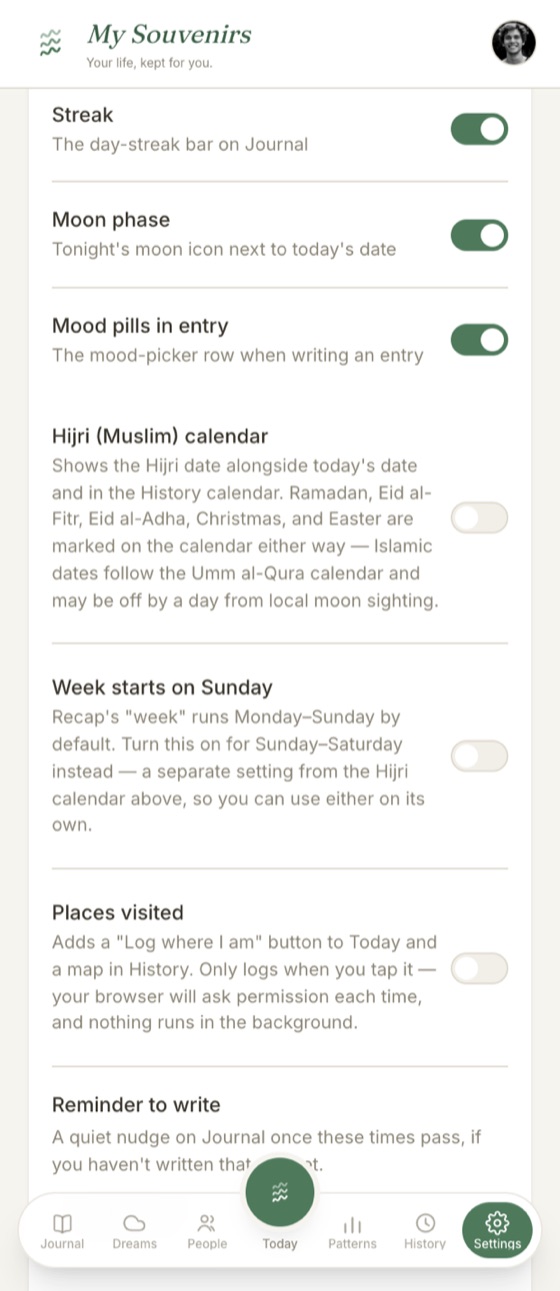
Made the way you like it
Small touches you can turn on or off.
- Moon phase next to today's date
- Hijri (Muslim) calendar, with Ramadan, Eid, Christmas and Easter marked
- Week starts Sunday or Monday
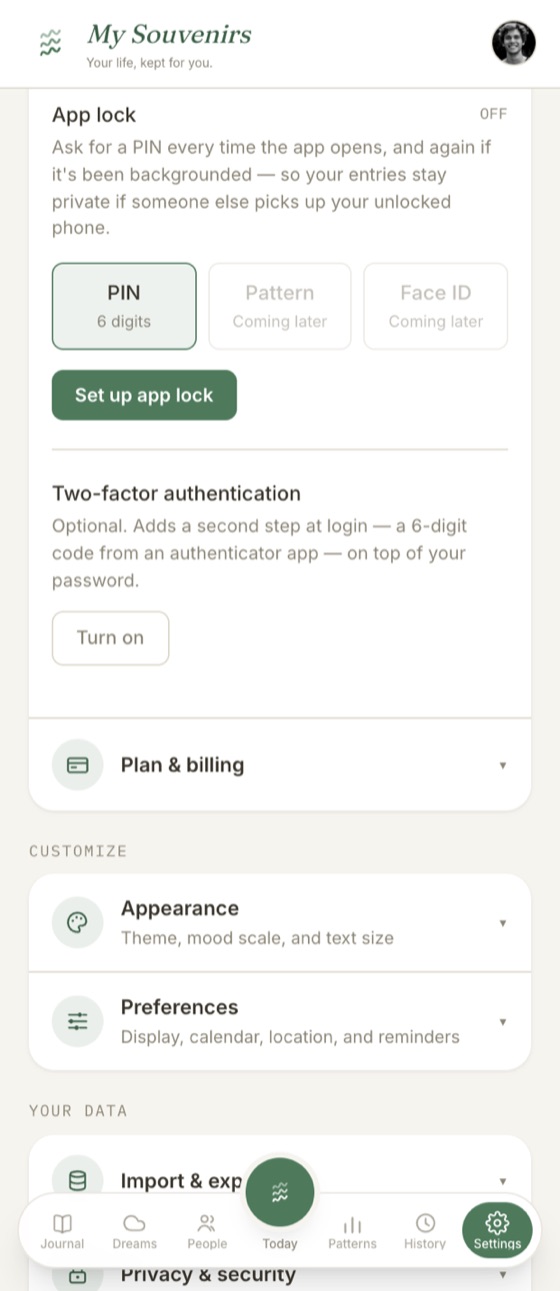
Locked down, if you want it
Your journal is one of the most private things you keep. Lock it down as tight as you like.
- A 6-digit PIN every time the app opens
- Two-factor authentication on your login
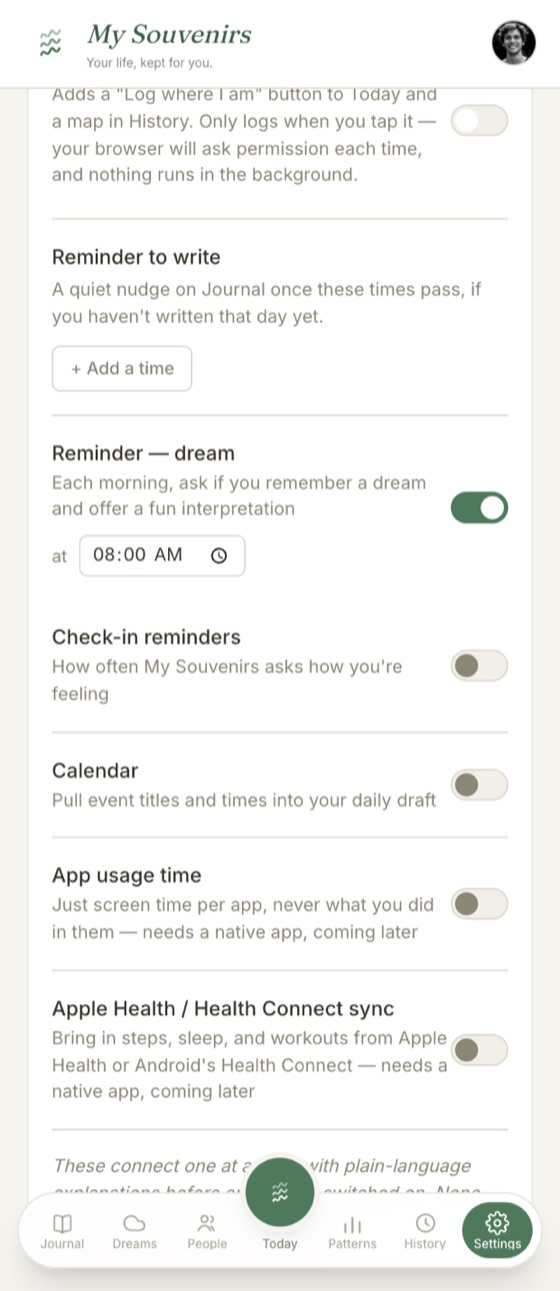
Connections, one at a time
Every passive signal is opt-in on its own. There is no “connect everything” screen, and nothing runs in the background.
- Calendar: pull event titles and times into your draft (Premium)
- App usage: screen time per app only, never what you did in them
- Apple Health / Health Connect: steps, sleep, workouts (with the native app)
- Quiet write and dream reminders at times you choose
Themes
The theme changes every colour in the app, and your mood palette with it. Nothing about your entries changes.
Soft cream and sage, light and easy to sit with.
Clay and terracotta on a warm, mid-tone ground.
Deep plum dark mode with a soft lavender glow.
A deep night sky with slowly drifting stars.
Dense canopy greens with a slow light sweep.
Soft overcast light drifting across the page.
Cool storm tones with drifting rain.
Warm low sunlight, slowly drifting.
Deep night purple with a breathing pink glow.
The app icon follows your theme automatically. Premium members can pin it to any of the nine colours instead.
How it works
Check in
Tap how you're feeling and jot a quick reflection, or just say it out loud.
Add what you want
Optionally tag photos, the people you were with, and anything else worth remembering. All of it stays optional.
AI drafts it, if you want
Ask for a draft and it's written in your own voice, learned from what you've already written, not generic AI prose.
You review and save
Your writing autosaves as a draft so you never lose it, but AI never turns a draft into an entry for you. You read it over, change anything, and it becomes an entry only when you save it.